

A passed SPF check does not mean an email reached the primary inbox. In a 2026 benchmark, SPF passed for 93% of tested emails and DKIM passed for 90%, yet only 63% reached the primary inbox. 33% landed in spam, while 1% was blocked or missing. The gap is the reason a serious email deliverability check must measure placement, not just authentication. (2026 benchmark data)
Authentication proves that a sender is allowed to send. It doesn't prove that recipients want the message, that the content looks trustworthy, or that Gmail, Yahoo, Microsoft, and Apple will place it where the recipient expects. A technical check is necessary, but it's only the first gate.
Why a Passed Authentication Check Is Not a Deliverability Check
Email delivery and email deliverability describe different outcomes. Delivery means the receiving mail server accepted the message. Deliverability means the message reached a useful inbox location, usually the primary inbox, rather than spam, junk, promotions, or a provider-level rejection.
The 2026 benchmark makes the distinction difficult to ignore. SPF reached a 93% pass rate, and DKIM reached 90%, but the primary-inbox rate was only 63%. That means a sender can look technically healthy in a DNS checker while a large share of messages still misses the place where recipients are most likely to notice it.
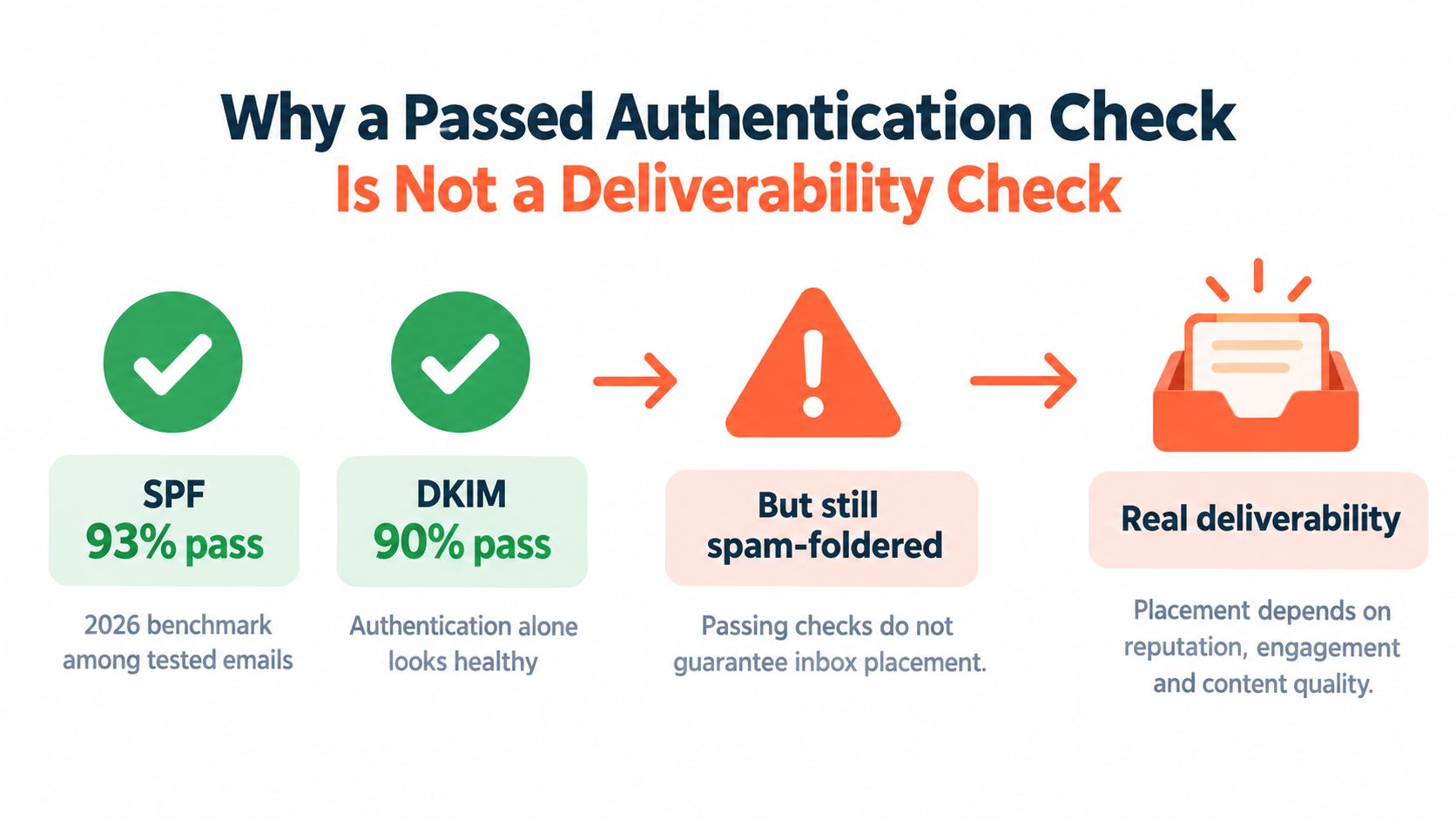
What authentication can and cannot prove
SPF answers a narrow question: is the sending server authorized by the domain's published policy? DKIM answers another: did the message carry a valid cryptographic signature that survived transmission? DMARC adds policy and alignment, connecting the authenticated domain with the visible From domain.
Those checks matter because broken authentication can cause spam placement, rejection, or spoofing exposure. They don't measure recipient engagement, complaints, content risk, list quality, or the historical reputation attached to a sending domain and infrastructure.
A passing result can therefore be misleading in several ways:
- The wrong path is being tested. A domain may authenticate correctly through a marketing platform while a CRM or transactional sender uses a different, broken configuration.
- The visible From domain isn't aligned. SPF or DKIM may pass for a related service domain without satisfying DMARC alignment for the address recipients see.
- Provider filtering happens after authentication. Mailbox providers use signals beyond DNS records, including recipient behavior and sender history.
- Placement varies by mailbox. A message can reach Gmail's inbox while Microsoft routes the same message to junk.
A useful explanation of the distinction appears in this guide to what email deliverability means. The practical conclusion is simple: authentication belongs in the audit, but it cannot be the audit's final verdict.
The five checks that belong in a real audit
A reliable email deliverability check follows a sequence rather than a single green status:
- Authentication: SPF, DKIM, DMARC, alignment, and the actual sending path.
- Reputation thresholds: complaints, hard bounces, soft bounces, and total bounce behavior.
- Seed testing: controlled messages sent to major mailbox providers.
- Result interpretation: diagnosis by provider, message, list, and sender.
- Ongoing monitoring: repeated tests after changes, volume shifts, or provider-policy updates.
The benchmark also reported critical failures falling from 7% to 2% after corrective work and re-testing. That result supports a disciplined operating principle: a deliverability audit isn't complete when a problem is identified. It's complete when the fix has been tested again and the placement pattern has improved.
Auditing Your SPF, DKIM, and DMARC Records
Record presence is not the same as record correctness. A DNS lookup may show an SPF, DKIM, or DMARC record while the message still fails authentication because the sender uses an unlisted service, the selector is wrong, or the authenticated domain doesn't align with the visible From address.
The technical audit should begin with a complete inventory of every system that sends mail. Common combinations include a CRM, a newsletter platform, a customer-support mailbox, and a transactional provider. Each one needs to be accounted for before a record can be judged clean.
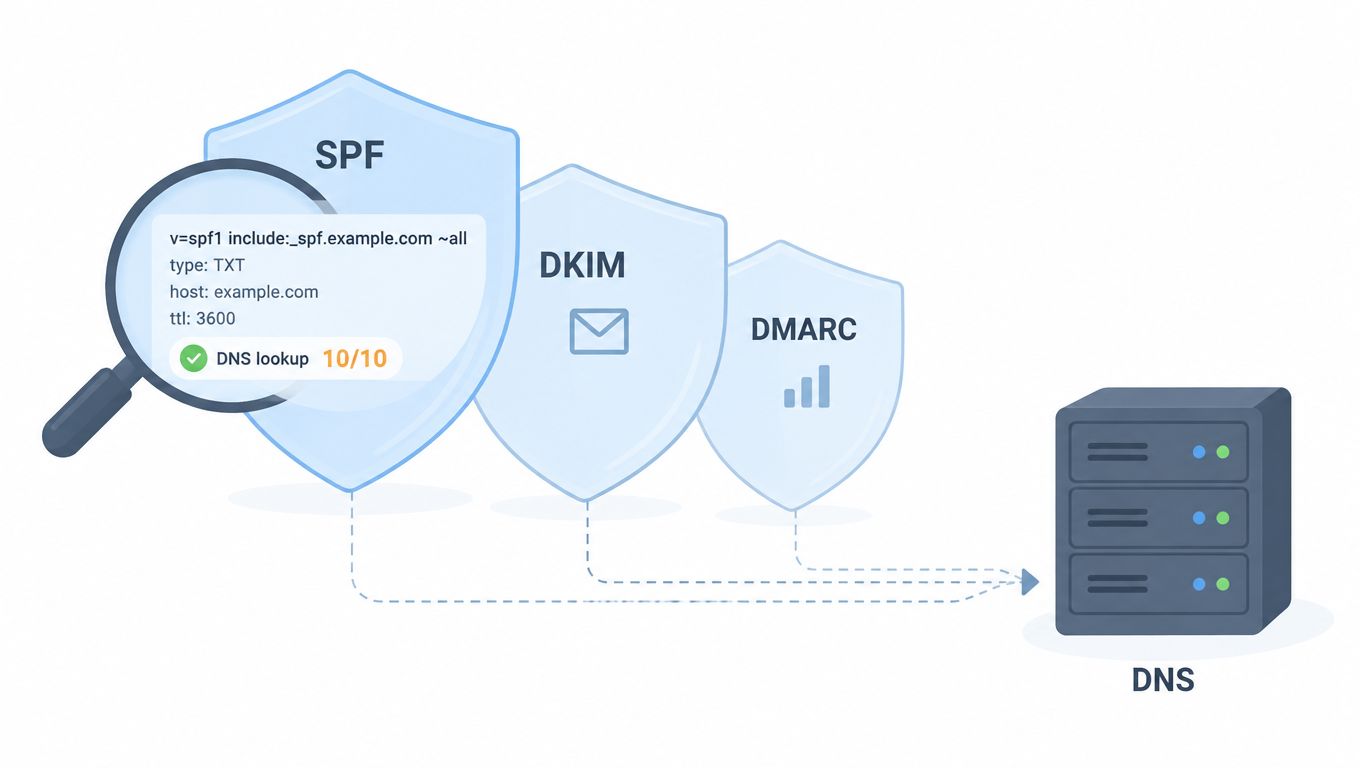
SPF needs a controlled sending inventory
SPF is a policy record that lists authorized sending services. The first check is structural:
- Confirm there is one authoritative SPF policy for the domain.
- List every legitimate sending platform and remove services that no longer send.
- Check nested includes and the total DNS lookup count. SPF permits no more than 10 DNS lookups during evaluation.
- Look for duplicate records, unsupported mechanisms, and accidental syntax breaks.
- Compare the published policy with the platforms that send messages.
Multiple tools often create the quietest failures. A marketing platform may be included, while a CRM is forgotten. Or a team may add another include until the lookup limit is exceeded. The record can look populated in a browser while receiving providers treat the evaluation as a failure.
DKIM must match the real selector
DKIM uses a selector to identify the public key that receiving providers should retrieve. A proper check sends a real message through each provider, then verifies that the DKIM signature passes for that path.
The audit should confirm that the selector exists, the public key is valid, and the signing domain is the one intended for the program. A stale selector can remain published after a platform rotates keys, while a new selector may exist but never be used by the sending system.
The raw message matters more than a dashboard badge. It reveals which domain signed the message, which selector was used, and whether the signature survived. A practical SPF, DKIM, and DMARC test can help teams organize these record-level checks, but the final verification still needs a message from the actual sending route.
DMARC connects authentication to the visible sender
DMARC evaluates whether SPF or DKIM passes and aligns with the domain shown in the From address. A record that exists but doesn't produce alignment is not a clean result.
The audit should check:
- Whether the DMARC record is published at the correct domain.
- Whether the policy is intentional rather than an inherited default.
- Whether reporting addresses are monitored and able to receive reports.
- Whether the visible From domain aligns with SPF, DKIM, or both.
- Whether different senders use different subdomains and policies consistently.
A useful test sends separate messages from every important platform, then reviews the authentication results in the received headers. This catches the common failure where a domain checker sees valid records, but the campaign uses a different return path, selector, or signing domain.
Practical rule: A record is only “healthy” when the message that matters passes through the exact sending path that the campaign uses.
The Reputation Thresholds That Decide Your Fate
Mailbox providers don't judge reputation from authentication alone. They also watch how recipients react and whether the sender keeps mailing addresses that can't accept messages. Complaints and bounces are operational signals, but they're also warnings that the audience, targeting, cadence, or data quality needs attention.
The 2026 benchmark guidance places a healthy spam complaint target at 0.10% per send, with 0.30% cited as the Gmail and Yahoo bulk-sender enforcement level. Programs at 0.50% or higher are described as suffering acute and persistent reputation damage. Hard bounces should remain below 0.5%, soft bounces commonly sit between 1% and 3%, and total bounce rates above 2% begin to degrade reputation. (2026 deliverability thresholds)
Deliverability Thresholds to Watch
| Metric | Healthy | Warning | Enforcement or damage |
|---|---|---|---|
| Spam complaints per send | 0.10% target | Approaching 0.30% | 0.30% cited for Gmail and Yahoo enforcement, 0.50% or higher linked to persistent damage |
| Hard bounces | Below 0.5% | Moving toward 0.5% | Above the healthy ceiling |
| Soft bounces | 1% to 3% can be typical | Rising beyond the normal pattern | Persistent increases require investigation |
| Total bounces | Below 2% | Near 2% | Above 2% begins to degrade reputation |
Complaints deserve the fastest response
A complaint is stronger than a weak open signal because the recipient has actively classified the message as unwanted. A sender approaching the warning range shouldn't compensate by sending more. The safer response is to pause the affected segment, examine the targeting, make unsubscribing obvious, and remove people who have opted out or shown sustained disinterest.
Teams should pull complaint data by campaign, sender domain, mailbox, audience segment, and message variant. A blended account-level average can hide a single campaign that is creating most of the damage.
Bounce patterns point to different problems
Hard bounces usually indicate a permanent delivery problem, such as an invalid or nonexistent address. They should be removed quickly rather than repeatedly retried. Soft bounces can reflect temporary mailbox conditions or provider deferrals, so a rising pattern requires more context than a single event.
Total bounce rate is useful as an early-warning metric, but it shouldn't replace classification. A list with a low total rate can still contain a growing hard-bounce pocket, while a temporary provider issue can inflate soft bounces without proving that the data is permanently bad.
A sender reputation score guide can help teams frame reputation as an operating metric rather than a mysterious provider judgment. The dashboard should show the threshold, the trend, the affected segment, and the action owner. A number without a response process is only decoration.
Running Seed Tests Across Every Major Mailbox Provider
Seed testing turns a deliverability check from a theory exercise into an observed result. The process is straightforward: send a controlled version of the campaign to test accounts at the providers used by the audience, then record whether each message reaches the inbox, a secondary tab, junk, spam, or nowhere at all.
A single global placement score hides provider-specific behavior. A 2024 deliverability study reported average inbox placement of 87.2% at Gmail, 86% at Yahoo, 75.6% at Microsoft, and 76.3% at Apple, with substantial differences between providers. (provider-level placement data)
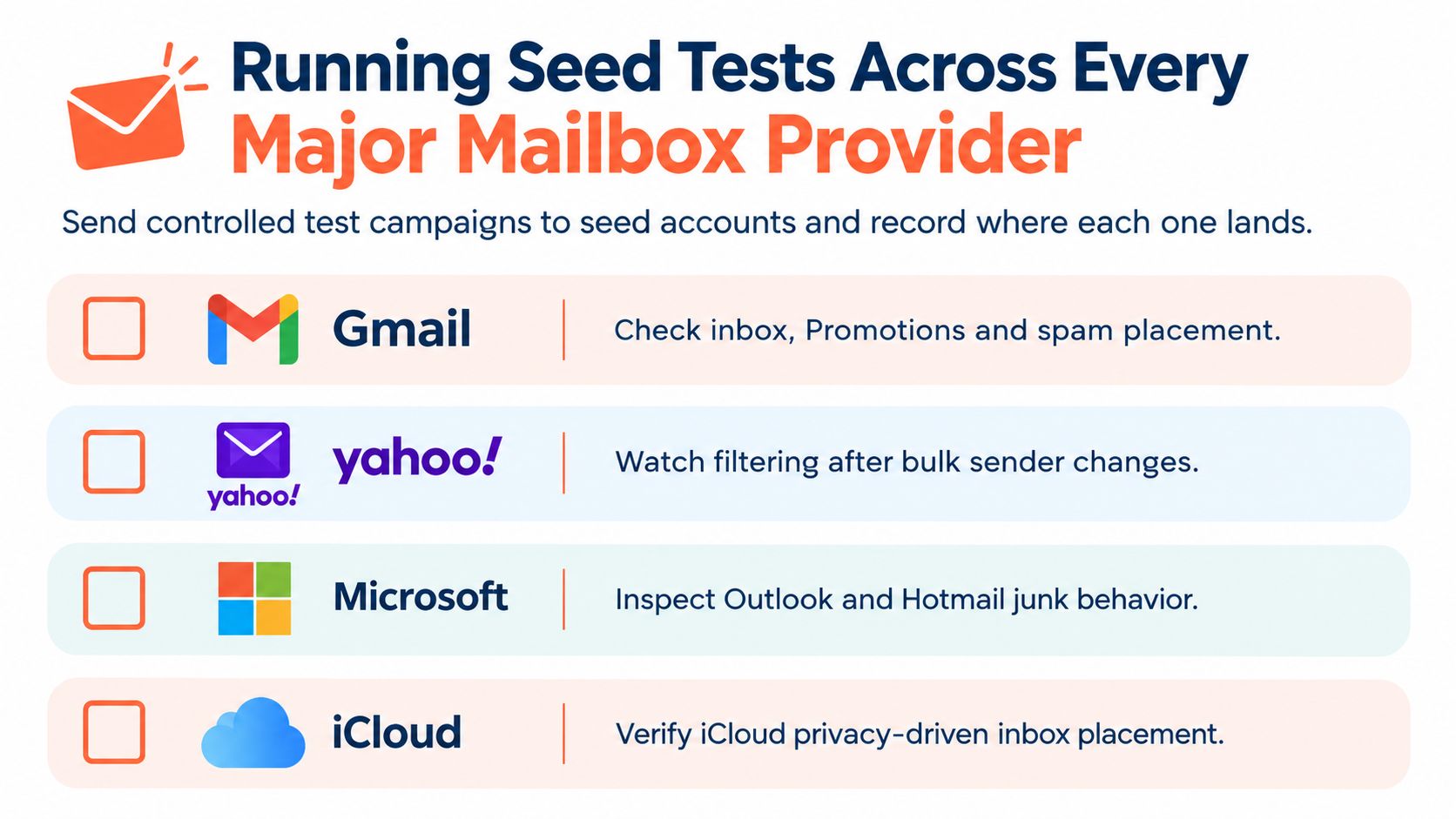
Build a panel that reflects the real audience
The seed panel should include Gmail, Yahoo, Microsoft mailboxes, and Apple's iCloud environment. Each account should be active enough to behave like a real mailbox, rather than a dormant address that provides an artificial result.
The test record should capture:
- Provider and mailbox: Identify the receiving environment and account.
- Folder placement: Record primary inbox, promotions or other tabs, spam, junk, and blocking.
- Authentication results: Save SPF, DKIM, and DMARC outcomes from the received message.
- Message version: Keep the subject, links, HTML, sender, and content variant fixed.
- Test time: Record when the message was sent and when placement was observed.
In this role, Chartsy weekly email reports can provide useful reporting context for teams that need recurring visibility rather than isolated snapshots. Reporting doesn't replace seed accounts, but it can make trends easier to compare across campaigns and sending periods.
Test the campaign, not a laboratory substitute
A seed message should use the same sender identity, infrastructure, template, links, tracking settings, and audience logic as the actual campaign. Testing a simplified plain-text message while sending a heavily formatted production version creates false confidence.
Spam-filter scoring tools add another layer. They can flag suspicious links, unusual HTML, image-to-text imbalance, misleading headers, and other content-level concerns. Those tools are useful for narrowing the search, but they aren't a placement guarantee. A clean content score with poor provider placement still points to reputation, engagement, list, or mailbox-specific filtering.
Make testing repeatable
Run a baseline before launching a new sender or campaign. Repeat after authentication changes, major template edits, unusual bounce activity, complaint spikes, or a sudden volume increase. For established programs, a recurring test schedule gives the team a reference point and helps separate a one-off provider event from a persistent sender problem.
The most important comparison is not a universal score. It's the change in placement for the same provider, sender, and message family after a controlled fix.
Interpreting Your Results and Fixing What's Broken
An authentication pass is only one checkpoint. SPF passes for 93% of senders and DKIM for 90%, yet primary-inbox placement reaches only 63%. That gap is why a deliverability check must connect authentication results with seed placement, provider behavior, reputation, and audience signals.
Start with the failure pattern, then choose the repair:
- Authentication fails everywhere: fix SPF, DKIM, DMARC, or alignment before changing copy or sending volume.
- Authentication passes but placement is poor everywhere: investigate complaints, engagement, list quality, content, and sender reputation.
- One provider performs badly: examine that provider's filtering behavior, mailbox history, sending pattern, and domain-level signals.
- Complaints rise with one segment: pause that audience and review targeting, consent, expectations, and frequency.
- Hard bounces rise: suppress invalid addresses and audit the list source and verification process.
- Soft bounces rise selectively: check whether the provider is deferring the sender or mailbox conditions explain the pattern.
Fix the highest-risk fault first
Repair authentication and alignment before tuning content. Remove invalid recipients and honor unsubscribes next. Then address complaint-producing segments, risky content, sending cadence, and abrupt volume changes.
Control the repair. Changing the subject, template, links, sender, and audience at the same time makes the next result impossible to interpret. Change one meaningful variable, send the same production message through the same seed panel, and compare placement by provider. A fix that improves Gmail but worsens Microsoft is not safe to apply across the program.
A successful fix is not “the dashboard turned green.” It is a measurable improvement under the same test conditions.
Re-test after each material change
The re-test benchmark cited earlier supports validating the repair instead of assuming it worked. (re-test benchmark) Set a validation point after each meaningful change, including authentication updates, template revisions, unusual bounce activity, complaint increases, or volume changes.
Record the original failure, suspected cause, action taken, message version, receiving providers, and observed placement. Keep the test conditions stable enough to isolate the change. Seed results should show where the message arrived, not just whether a tool produced a passing score.
If placement improves at one provider and declines at another, investigate the provider-specific signal before declaring success. If authentication remains clean while placement stays poor, shift the investigation toward reputation, engagement, audience quality, content, and mailbox filtering.
Avoid theatrical checks
Some checks look reassuring but answer a narrower question:
- A DNS-only scan: validates records, but cannot prove inbox placement.
- A single mailbox test: cannot expose differences among providers.
- A spam-score badge: offers a content clue, not a delivery verdict.
- An open-rate-only review: is affected by tracking limits and cannot reliably distinguish inbox placement from other visible folders.
- A one-time audit: becomes stale after provider changes, campaign spikes, or complaint events.
Use record validation, threshold monitoring, provider-specific seed placement, and repeated comparison together. Each check has a defined purpose. None replaces the full audit.
When a Clean Deliverability Report Still Isn't Safe to Scale
A green report can mean the test message authenticated, the seed panel accepted it, and the current campaign avoided obvious failures. It doesn't mean the program is safe to expand without controls.
Recent changes have raised the operational stakes. In 2026, Gmail and Outlook.com moved from filtering to outright SMTP rejection for some rule violations, while European regulators began treating open-tracking pixels as a consent issue. (2026 deliverability and compliance trends) A sender can therefore pass a placement test and still create compliance or infrastructure risk by mishandling consent, unsubscribe requests, complaint signals, or domain alignment.
Placement is only one part of safe scaling
Before increasing volume, the program needs answers to practical questions:
- Can every recipient unsubscribe without friction?
- Does the system suppress opted-out addresses across all sending tools?
- Are complaints routed to someone who can act quickly?
- Does the visible From domain align with authenticated sending?
- Are tracking choices appropriate for the recipient's region and consent status?
- Can the team identify which domain, mailbox, campaign, and segment caused a deterioration?
- Does the sending pattern remain stable instead of creating an abrupt spike?
These controls matter especially for B2B outbound teams operating across the US and Europe. A deliverability check that ignores unsubscribe handling and regional tracking requirements is incomplete, even when inbox placement looks acceptable.
Decide when specialist operations are justified
Small programs can manage authentication, list hygiene, seed testing, and complaint monitoring internally when someone owns the work and understands the signals. The burden grows when multiple domains, inboxes, regions, campaigns, and sending platforms need coordinated controls.
A managed service such as Eludic can configure SPF, DKIM, and DMARC, warm inboxes, monitor bounce and complaint signals, manage compliance workflows, run outbound campaigns, and handle replies. That model trades internal control for operational coverage, so the decision should depend on the team's available expertise, risk tolerance, and need for qualified meetings rather than on a promise that any provider can guarantee placement.
The pre-launch checklist should stay short:
- Authentication passes on the sending path.
- SPF records remain within the lookup limit.
- DMARC alignment matches the visible sender.
- Complaint and bounce trends remain within the program's limits.
- Seed tests cover Gmail, Yahoo, Microsoft, and Apple.
- Unsubscribe handling works across every sending system.
- The team has an owner for alerts, suppression, and re-testing.
A clean report is a snapshot. Safe scaling is a monitored operating process.
Teams that need outbound without building the deliverability stack internally can use Eludic for domain authentication, inbox warm-up, reputation monitoring, compliant cold email execution, reply handling, and meeting booking. Visit Eludic to assess the current sending setup and determine whether managed operations fit the program.